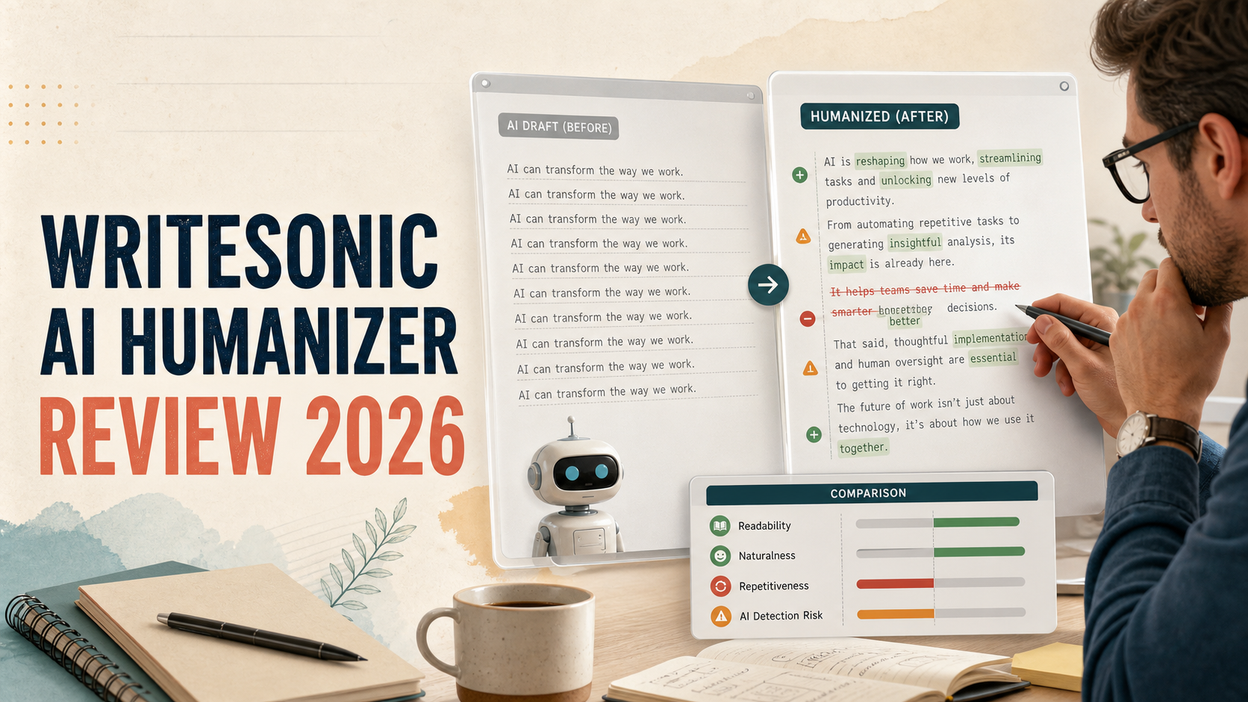
Writesonic’s AI Humanizer sounds straightforward: paste in an AI draft, click a button, and get something that reads more like you. The button is the easy part. The awkward part comes a minute later, when you are staring at two versions and trying to decide whether the new one is actually better.
ed, Writesonic sometimes changed only one or two phrases. In another sample, it made a technical explanation easier to read but less precise. Then the detectors added another layer of confusion: one humanized passage was rated 5% AI by one checker and 100% AI by three others.
My short answer is that Writesonic’s AI Humanizer can be useful for a quick first pass, especially if you already work in Writesonic. I would not trust it as a one-click final editor, and I would definitely not treat it as proof that a passage is human-written. The main issue is not that every rewrite is bad. It is that you cannot tell how much work it has done—or whether it has quietly weakened something important—without comparing the result line by line.
There is also a practical version problem. Older reviews describe a free 200-word tool. Another review shows a 1,500-word allowance. Writesonic’s current website, meanwhile, mainly sells a broader SEO and AI visibility platform starting at $79 per month when billed annually. I will separate current official information from older interface observations instead of blending them into one confident but possibly outdated answer.
Disclosure and review scope: Lunote publishes this review and offers a competing AI Humanizer. I did not pretend to run a fresh private benchmark when I could not preserve a reproducible live session. I reviewed Writesonic’s current official documentation, pricing, privacy policy, and visible third-party input/output tests. I identify vendor claims, competitor-run tests, and my own editorial judgments separately so you can check the evidence yourself.
Writesonic AI Humanizer at a Glance
| Question | My finding |
| Best for | Existing Writesonic users who want a quick first-pass rewrite inside their normal editor |
| Not ideal for | People who only need a focused AI humanizer or who work with terminology-sensitive content |
| Rewrite quality | Acceptable for light cleanup, but visible tests show shallow and inconsistent edits |
| Meaning preservation | Usually recognizable, although technical precision can be weakened |
| AI detector performance | Unreliable across detectors; no universal pass |
| Free access | Older reviews report free limits, but the current public site emphasizes a free trial rather than a permanent standalone free tool |
| Current public price | Starts at $79/month, billed annually, for the wider Writesonic platform |
| Overall verdict | Useful feature for current subscribers; not a strong standalone reason to buy Writesonic |
What Is Writesonic’s AI Humanizer, and How Does It Work?
Writesonic’s AI Humanizer is a rewriting feature designed to make AI-generated text read more naturally. The public AI Text Humanizer documentation places it inside the AI Document Editor. Writesonic’s newer AI Article Writer also describes humanization as one stage in a larger content pipeline that researches, drafts, cites, links, and prepares an article for publication.
That context matters. Writesonic is no longer presented mainly as a collection of small writing tools. Its current website focuses on SEO, AI search visibility, site audits, and automated content workflows. The Humanizer is therefore most useful when you already generate or edit content in Writesonic and want another pass without moving the draft elsewhere.
What It Can Change
From the visible examples, Writesonic can change vocabulary, simplify phrasing, and make small adjustments to sentence flow. The product documentation also includes an Enhanced Readability option. These are observable functions. Claims that the tool changes “perplexity,” removes every AI signal, or preserves every keyword and fact require stronger evidence than the public documentation provides.
Humanization also needs a clearer definition. A useful rewrite should improve the reading experience, preserve the intended meaning, and reduce rather than increase manual editing. A lower AI detector score can be useful context, but it is not the same as better writing. Writesonic itself warns that enabling Enhanced Readability may increase the risk of AI detection. That disclosure matters: readability and detector classification can move in opposite directions.
Humanizer vs Rewriter vs AI Article Writer
| Tool or workflow | Main job | When it makes sense |
| AI Humanizer | Revises an existing AI-assisted passage to sound less mechanical | You already have a draft and want a quick natural-language pass |
| Ask AI or rewrite controls | Changes tone, length, wording, or a selected section according to an instruction | You know exactly what needs changing |
| AI Article Writer | Produces a researched long-form article through a broader workflow | You need content generation, SEO support, linking, and publishing preparation |
If your problem is specific—“keep these technical terms but make the paragraph less formal”—a targeted rewrite instruction may be safer than a general Humanize button. The Humanizer is faster, but the more general the command, the more carefully you need to review what changed.
Features, How to Use It, and What It Costs
Writesonic’s public help article gives a short workflow: open the AI Document Editor, select the Humanizer, add the AI-generated text, choose the available language, decide whether to enable Enhanced Readability, and click Humanize. The difficult part comes after generation.
How to Use Writesonic’s AI Humanizer Safely
- Keep a copy of the original text. Do not paste over the only version. Open the Humanizer from the AI Document Editor or the equivalent option in your current workspace.
- Paste a short, representative section before processing a full article. Select the language, tone, or readability options visible in your account.
- Generate one version and compare it with the source before running it again.
- Check names, numbers, claims, quotations, links, technical terms, target keywords, and calls to action.
- Read the output aloud. A grammatically correct sentence can still sound inflated, flat, or oddly informal.
Apply only the useful changes, then perform a final whole-document edit.
The current workflow does not appear to offer a detailed track-changes view that explains every replacement. A recent hands-on review of the broader Writesonic editor similarly noted that the humanize and rewrite actions did not highlight what changed. That increases review time because the user must compare the source and output manually.
Enhanced Readability, Tone, and Languages
Enhanced Readability can help when the source contains long sentences, dense transitions, or formal wording that does not suit the audience. It should not be treated as a universal “better writing” switch. Simplifying a casual blog post can help; simplifying a scientific term can remove precision.
The available sources also conflict. A November 2025 EssayDone test shows tone choices such as academic, friendly, bold, persuasive, and engaging, and says the tool supports more than 20 languages. Writesonic’s public Humanizer documentation says English is the only supported language. Phrasly’s 2026 review shows another interface and reports up to 1,500 words per scan.
These descriptions may reflect different product versions, plans, or entry points. The public documentation is more than a year old. I would not promise a particular mode or language without seeing it in the current account. If multilingual output matters, test one passage containing local expressions and field-specific terminology, then have a fluent speaker review it.
Is Writesonic’s AI Humanizer Free?
The honest answer is that older search results and the current product offer do not line up cleanly. EssayDone and Scribbr report a free 200-word allowance. Phrasly reports a 1,500-word scan after sign-in. Writesonic’s current pricing page promotes a free trial with no credit card but does not clearly publish a separate Humanizer allowance.
Treat the older limits as version-specific observations, not a current guarantee. Before creating a workflow around Writesonic’s free AI Humanizer, confirm the per-run limit, total allowance, whether it consumes general credits, available tones and languages, and whether the trial expires or converts.
Current Writesonic Pricing
As checked in August 2026, the official Writesonic pricing page lists these annual-billing prices for brands:
| Plan | Listed price | AI articles per month | Humanizer-specific allowance published? |
| Starter | $79/month | 15 | No separate allowance shown |
| Basic | $199/month | 25 | No separate allowance shown |
| Growth | $399/month | 50 | No separate allowance shown |
| Enterprise | Custom | Custom | Confirm with sales |
Prices and features change, so verify the live page before purchasing. More importantly, these prices buy a much wider SEO and AI visibility system—not only the Humanizer. That can be reasonable for a content team using the whole workflow. It is difficult to justify if you only need to rewrite a few paragraphs each week.
Privacy and Sensitive Text
Phrasly’s review says free-tier inputs and outputs may be used to train Writesonic’s models. That statement is no longer consistent with Writesonic’s current policy. The Privacy Policy updated May 13, 2026 says Writesonic does not use customer data to train or fine-tune general-purpose or foundation models and extends that commitment to trials and the free tier. It may use de-identified inputs, outputs, and usage information to operate, secure, debug, evaluate, and improve the service.
This correction is important, but it is not permission to upload anything. Do not paste confidential client drafts, health information, legal records, unpublished research, or employer-owned material unless you have the necessary rights and organizational approval. Writesonic also says generated output may be inaccurate, incomplete, misleading, or biased and should be independently reviewed.
How I Evaluated the Available Evidence
I prioritized evidence that another reader can inspect. Official pages are strongest for pricing, product positioning, and policy. Visible before-and-after samples are more useful for judging writing quality. Detector screenshots show how a named system classified one version, but they do not prove authorship. Community discussions can reveal repeated pain points, but promotional forum posts are not independent validation.
The Evidence Set
| Source | What it contributes | What it cannot prove |
| Writesonic documentation and product pages | Official workflow, readability warning, current positioning | Independent writing quality or detector performance |
| EssayDone review | A named 186-word sample, academic mode, five detector results, Grammarly scores | General performance across topics; the publisher sells a competing product |
| Phrasly review | Three visible input/output examples, consistency check, four detector results | Broad reliability; the publisher sells a competing humanizer |
| Ryne review | Feature and use-case framing | Test claims are not reproducible because it omits the sample, settings, raw output, and scores |
| Community discussions | Common concerns about price, editing, tone, and detection | Verified performance; several threads appear commercially coordinated |
What I Looked For
I used six practical criteria: rewrite depth, naturalness, meaning preservation, terminology and voice, consistency, and cleanup cost. I treat detector performance as a separate question. A detector may change its score even when a human editor considers the writing worse.
Here is the standard I used while reading each output:
| Dimension | The question I asked | What would count as a problem? |
| Rewrite depth | Did the tool fix a real writing issue or merely make the sentence different? | Unnecessary synonym swaps or an almost unchanged result |
| Naturalness | Would a person in this context plausibly choose this phrasing? | Inflated wording, fake enthusiasm, abrupt fragments, or a mismatched tone |
| Meaning | Can every factual relationship and qualifier still be recovered? | A stronger claim, lost caveat, new fact, or changed cause-and-effect relationship |
| Terminology | Are field terms and product language still exact? | A familiar but less accurate substitute |
| Voice and purpose | Does the text still sound right for the reader and task? | A technical article becoming chatty or a sales CTA losing urgency |
| Cleanup cost | Did the output reduce the editor’s work? | More time spent comparing and repairing than rewriting manually |
This matters because “human” is too vague to score on its own. A friendly email, a research summary, and a landing-page CTA should not sound the same. I am not looking for random sentence variation. I am looking for writing that fits its job.
What the Published Tests Actually Show
The most useful part of this review is not the number of features. It is what Writesonic changed in visible text and whether those changes helped.
Test 1: The Conversational Paragraph Barely Changed
Phrasly tested a three-sentence introduction about how social media changed brand communication. Writesonic returned nearly the same paragraph:
| Original | Writesonic output | Editorial assessment |
| “Social media has changed the way brands communicate…” | “Social media has caused a revolution in the way brands communicate…” | Longer, more dramatic, and less conversational |
The output is grammatically acceptable, but it does not solve a visible writing problem. “Has changed” is simpler and more natural. “Has caused a revolution” also raises the intensity of the claim without adding proof. That may sound like a tiny stylistic choice, but it changes the writer’s stance from neutral observation to marketing-style exaggeration.
The other two sentences were effectively untouched. That tells me the tool did not identify—or did not attempt to fix—the more structural features people often dislike in AI drafts: evenly sized sentences, generic abstractions such as “genuine relationships,” and a tidy concluding benefit. It changed the surface while leaving the paragraph’s rhythm and reasoning in place.
Would I publish the output? No. I would keep “has changed,” then make a real editorial decision about the paragraph. For example, I might replace the generic final claim with a concrete example of how a small brand now answers customers, handles complaints, or builds a community without a large media budget. That kind of specificity makes writing feel authored. A grander synonym does not.
My verdict on this sample: the rewrite adds no useful value and creates a small tone problem. It is not disastrous; it is simply extra work disguised as improvement.
Test 2: The Technical Paragraph Lost Precision
The second Phrasly sample discussed carbon capture:
| Original | Writesonic output | Why it matters |
| “has emerged as a critical component” | “has become a key part” | Easier, but loses the sense of development and weakens “critical” |
| “extracting CO₂ directly from the atmosphere” | “pulling CO₂ straight from the atmosphere” | More casual, but “extracting” is the more precise field term |
| “associated with large-scale deployment” | “that come with large-scale deployment” | A reasonable plain-language edit |
This is a better illustration of humanizer risk than a detector score. The paragraph still makes sense, so a fast review might approve it. But the changes do not all carry the same meaning.
“Has emerged as” describes a development over time: carbon capture moved into a more important role in climate strategy. “Has become” is close, but flatter. Replacing “critical” with “key” weakens the degree of importance. Neither edit is a factual disaster, yet together they make the opening less specific.
“Pulling CO₂ straight from the atmosphere” is the bigger issue. It may help a general reader visualize the process, but “extracting” is normal technical language in this context. Human writers do not avoid every specialist word. Good writers choose the word their audience needs and explain it when necessary. Swapping a precise term for a casual one can make the passage sound less informed, not more human.
The third change—“associated with” to “that come with”—is the one I would probably keep. It is shorter, clear, and does not disturb the meaning. This mixed result is exactly why a single score such as “quality improved” is not enough. One output can contain an acceptable edit, a weak edit, and a risky edit at the same time.
My decision would depend on the audience. For a middle-school explainer, I could use “pulling CO₂ from the air” and then introduce the formal term. For a technical report, client article, or evidence-led SEO page, I would restore “extracting” and “critical.” Humanization should adapt language without quietly reducing credibility.
My verdict on this sample: readable, but not publication-ready. It needs a subject-aware editor, which reduces the time-saving benefit.
Test 3: Similar Content Received Different Editing
Phrasly immediately tested a near-identical carbon-capture passage. Writesonic changed only two details: it removed “directly” and replaced “widespread use” with “widespread adoption.” The first paragraph received several simplifications; the near-repeat came back almost unchanged and even became more formal in one place.
Three samples cannot establish the tool’s average consistency. They do establish a reason to check it. “Widespread adoption” is not more conversational than “widespread use”; it moves in the opposite direction from the simplification applied to the previous sample. The tool is not following an obvious, stable rule such as “make professional text clearer.”
On a 150-word passage, this is manageable. On a 2,000-word article processed in pieces, it becomes a workflow problem. One section may say “extracting carbon,” another “pulling carbon,” and a third “removing carbon.” All three can be understood, but the article starts to feel as though several people edited it without a shared glossary. The same thing can happen to product names, audience labels, and target keywords.
There is also a hidden review cost. When the rewrite depth changes from one run to the next, the editor cannot predict whether a section needs a quick glance or a full comparison. That uncertainty matters to agencies and content teams because review time, not generation time, is often the bottleneck.
To reduce the risk, process complete semantic sections, keep a list of protected terms and keywords, use the same settings, and review the whole document after section-level edits. If a passage is already clear, skip humanization rather than changing it for the sake of change.
My verdict on consistency: acceptable for occasional paragraphs, less convincing for unattended batch editing.
SEO Keywords, Brand Voice, and CTAs
None of the strongest published tests provides a rigorous SEO or conversion-copy benchmark. That is a gap, not permission to assume Writesonic always preserves them. A general humanization pass can replace an exact keyword, soften a product claim, remove a differentiating phrase, or make a CTA generic.
For SEO content, check the primary keyword, important variants, named entities, headings, anchor text, factual qualifiers, search intent, and CTA. For brand content, compare the output with an approved writing sample. A sentence can read smoothly and still sound nothing like the brand.
Here is how that plays out in real work:
- If a product page targets AI text humanizer, replacing it everywhere with “AI rewriting tool” may sound less repetitive but weaken exact-topic relevance.
- If a medical article changes “may reduce risk” to “reduces risk,” the sentence becomes cleaner and more dangerous at the same time.
- If a brand normally writes in a calm, practical voice, phrases such as “caused a revolution” can make the copy sound inflated.
- If a CTA changes from “Compare both versions before you publish” to “Transform your content today,” it loses the specific, low-risk next step that made it credible.
Ryne claims that Writesonic keeps keywords intact and improves SEO-friendly flow, but its review does not publish an SEO input, the rewritten output, or a before-and-after keyword check. I would treat that as a product opinion, not verified performance. The available public evidence is too thin to give Writesonic a reliable SEO-preservation score.
The right way to test this is simple: include one exact target keyword, two related entities, a qualified product claim, and a CTA in the source. Then count what survives and judge whether the page still answers the same intent. Until that test is visible, “SEO-friendly” is a promise, not a result.
Writing Quality vs Grammarly Score
EssayDone generated a 186-word ChatGPT passage about Generation Z shopping behavior, processed it using Writesonic’s academic mode, and scored the result at 90/100 in Grammarly. After accepting Grammarly’s suggestions, the language score reached 100/100.
That supports a narrow conclusion: the tested output was grammatically solid and became cleaner after editing. It does not show that the text had a distinctive human voice, preserved every nuance, or was ready to publish. Grammar is one layer of quality; specificity, reasoning, voice, accuracy, and usefulness require editorial judgment.
The Manual Cleanup Question
Writesonic can save time when the input only needs light simplification and the user already works in its editor. It may save less time when the tool barely changes the passage, technical terms need restoring, the writer must find every change manually, or a long article needs another consistency pass.
That is why I would evaluate a humanizer by cleanup time, not generation speed. A five-second rewrite that creates ten minutes of comparison is not necessarily efficient.
For the visible samples, my practical scorecard looks like this:
| Area | Assessment | Why |
| Ease of use | Good | The action itself is simple and sits inside the editor |
| Rewrite depth | Weak to inconsistent | One sample changed a single phrase; similar technical passages received different treatment |
| Readability | Mixed | Some simplifications help; others become heavier or less precise |
| Meaning preservation | Mostly intact, not exact | The broad message remains, but strength and technical nuance can shift |
| Professional terminology | Needs review | A standard technical term was replaced with casual wording |
| Long-form confidence | Limited | No strong public long-form humanization test with a full change log |
| Cleanup burden | Moderate | Users need a side-by-side review and may have to restore terms or tone |
This is deliberately not a fake mathematical rating. The evidence set is too small for a defensible 8.2/10. The pattern is still useful: convenience is clear, while editing depth and control remain uncertain.
Can Writesonic’s AI Humanizer Pass AI Detectors?
It did not do so reliably in the published tests. More importantly, the detectors did not agree.
EssayDone’s Five-Detector Test
| Detector | AI score after Writesonic humanization |
| QuillBot | 39% AI |
| Originality.ai | 100% AI |
| ZeroGPT | 100% AI |
| GPTZero | 100% AI |
| Writer | 5% AI |
After Grammarly edits, EssayDone reported QuillBot at 20%, ZeroGPT at 70%, GPTZero at 95%, Originality.ai at 100%, and Writer at 5%.
The key result is not that Writer was right and the others were wrong. It is that the same passage produced classifications ranging from 5% to 100% AI. A user can create a completely different story simply by choosing which detector to quote.
Phrasly’s Four-Detector Test
| Detector | Reported result |
| Originality.ai | 100% AI-generated |
| Copyleaks | 100% AI content |
| QuillBot | 91% AI-generated |
| ZeroGPT | 100% AI/GPT-generated |
These results are consistent within that test, but it still uses only a few short samples and was published by a competing company. It shows what happened to those passages, not a universal failure rate.
What the Scores Mean
AI detectors use different models, thresholds, and text requirements. Results can change with passage length, topic, editing, detector updates, and formatting. Humanized text can trigger detectors, while genuinely human writing can receive false positives.
EssayDone’s test also reveals something easy to miss. Grammarly raised its writing-quality score from 90 to 100, but Originality.ai stayed at 100% AI and GPTZero moved only slightly. Meanwhile, QuillBot and ZeroGPT changed more. If grammar cleanup made the passage objectively clearer but did not produce a shared detector response, then “sounds better” and “looks less AI-generated to a detector” are plainly different measurements.
The Writer result creates the opposite problem. A reader who checked only Writer could publish a headline saying Writesonic passed with 95% human text. A reader who checked only Originality.ai could say it failed completely. Both headlines would come from the same sample. Neither would tell the whole story.
This is why I would report detector results as a range, name every tool used, record the date, and keep the exact tested text. I would also avoid averaging the percentages. A 5% result and a 100% result do not become a meaningful 52.5% “truth”; the systems are not calibrated to one shared scale.
Use a detector such as Lunote’s AI Detector as an additional review signal, not proof of authorship. Drafts, source notes, revision history, and citations provide more meaningful evidence of a writing process than repeatedly rewriting a passage until one detector shows a preferred number.
The responsible question is not “How many times should I humanize this to pass?” It is “Does this version accurately express my intended meaning, comply with the relevant rules, and improve the reader’s experience?”
Is Writesonic’s AI Humanizer Worth It?
Writesonic’s AI Humanizer is worth using when it is already included in a workflow you pay for. It is harder to recommend as the main reason to buy Writesonic at its current platform price.
Pros and Cons
| Pros | Cons |
| Convenient inside Writesonic’s content workflow | Published samples show shallow and inconsistent editing |
| Easy to apply to an existing draft | Technical terms may be oversimplified |
| Enhanced Readability can help dense passages | Readability mode may increase detection risk |
| Part of a broader SEO and AI visibility platform | Current Humanizer allowance is not clearly published |
| Current privacy policy covers free trials and free-tier content | No detailed track-changes view |
| Useful for a quick first pass | No reliable result across AI detectors |
Who Should Use It?
Use it if you already subscribe to Writesonic. Its main advantage is that the draft, rewrite, and broader content workflow stay together.
Test it carefully for technical, regulated, or client content. Protect specialist terms, verify every claim, and compare source and output.
Think twice if humanization is your only need. A $79-per-month starting price can make sense for teams using AI visibility tracking, article generation, and site audits. It is a large commitment for occasional rewriting.
Do not buy it for a guaranteed detector result. The available evidence does not support that expectation.
The Value Question Is Really About Your Workflow
If you already pay for Writesonic and the Humanizer is available in your plan, the price question is almost irrelevant. Try it. Keep the edits that help. Its position inside the editor is genuinely convenient.
If you are considering a subscription mainly for the Humanizer, the calculation changes. At $79 per month on annual billing, the entry plan represents $948 over a year. That price is not unreasonable for a team using visibility tracking, 15 AI articles per month, site audits, and the rest of the platform. It is hard to defend for someone humanizing a few essays or blog paragraphs.
For an agency, the important number is not words per scan. It is minutes of senior review per article. Suppose the tool saves five minutes of rewriting but adds eight minutes of terminology and brand checks. It has made production slower, even though the generation itself felt instant. Conversely, if the team already has a glossary and a final editorial pass, a light rewrite inside the same workspace may save useful time.
I would therefore make the purchase decision with one real document, not a polished demo. Choose a draft similar to your weekly work. Record how long the original edit takes, how long the Humanizer workflow takes, and how many changes you reverse. That small test tells you more about value than a list of features.
Writesonic vs Dedicated Alternatives
| Tool | Best for | Main advantage | Main limitation |
| Writesonic | Existing Writesonic content and SEO teams | Integrated with a broad production workflow | Expensive and complex if humanization is the only need |
| Lunote | Users wanting a focused rewrite-and-review workflow | Direct AI Humanizer and separate detector | Output still requires human fact and voice review |
| Phrasly | Users wanting rewrite-strength controls | Dedicated workflow with detector integration | Vendor tests and competitor reviews require bias disclosure |
| QuillBot | General writing and paraphrasing | Familiar suite with multiple modes | Humanization is one part of a broader product |
Because Lunote publishes this article, this is not a neutral laboratory ranking. Use the same 150–300 word passage in two tools and compare meaning, terminology, voice, keywords, and cleanup time.
How to Compensate for Its Weaknesses
If the rewrite is too light, do not keep clicking Humanize. Tell the editor what needs to change: vary sentence structure, remove generic transitions, preserve named terms, and adapt the explanation for a defined reader.
If terminology changes, maintain a protected vocabulary list. For SEO content, add keywords, entities, product names, and anchor text to the same checklist.
If the voice becomes generic, provide an approved writing sample or use a targeted tone instruction. If detector scores remain high, stop optimizing for the number and improve the draft with original reasoning, real observations, specific examples, and accurate sources.
If the full platform feels too expensive, test a focused alternative. Run the same paragraph through Lunote AI Humanizer and keep whichever output preserves meaning with less cleanup. Check current allowances on Lunote’s pricing page.
A Better Workflow Than One-Click Humanization
For important content, I would use Writesonic in this order:
- Fix the substance first. Add the real example, evidence, opinion, or explanation that the AI draft is missing. No humanizer can invent your experience reliably.
- Mark what must not change. Protect names, numbers, quotations, technical terms, keywords, and legal or product qualifiers.
- Humanize one representative section. This shows whether the selected setting suits the document before you process the rest.
- Accept edits selectively. Keep clearer wording; reject empty intensifiers, weaker terms, and generic sales language.
- Edit the whole article for one voice. Section-by-section output often needs a final rhythm and terminology pass.
- Check claims and links. A natural sentence can still be wrong.
- Use detectors last, if needed. Record disagreement instead of rewriting good prose to satisfy one score.
This workflow is less exciting than “click once and pass every detector.” It is also much closer to how dependable publishing works.
Conclusion
Writesonic’s AI Humanizer is a convenient editing feature with an uneven public evidence record. It can simplify a passage and provide a quick first rewrite. It can also make almost no meaningful change, weaken a technical term, or produce an output that detectors classify very differently.
I would use it as a first-pass editor inside an existing Writesonic subscription. I would not use it as proof of human authorship, a substitute for subject-matter review, or the sole reason to purchase the platform. The best output is not the one with the lowest AI percentage. It is the one that keeps the facts, suits the reader, preserves intent, and requires less—not more—repair. You can explore the focused content tools on Lunote or read more evidence-led workflow guides on the Lunote blog.
Frequently Asked Questions
Is Writesonic’s AI Humanizer free?
Older reviews describe free access with limits, including a reported 200-word allowance. Another 2026 review reports up to 1,500 words per scan. Writesonic’s current pricing page emphasizes a free trial and does not clearly list a standalone free allowance. Verify the current limit inside your account.
What is the Writesonic AI Humanizer word limit?
The public sources conflict: EssayDone and Scribbr report 200 words, while Phrasly reports 1,500 words after sign-in. These may come from different versions or plans. The current pricing page does not publish a separate limit.
Does Writesonic’s AI Humanizer pass GPTZero?
Not reliably in the published evidence. EssayDone’s passage was classified as 100% AI by GPTZero after Writesonic humanization and 95% after Grammarly edits. That is one competitor-run test, not a universal result, but it does not support a guaranteed pass.
Can Writesonic bypass Turnitin AI detection?
I found no transparent, reproducible evidence showing that Writesonic consistently passes Turnitin across content types. Treat universal bypass claims cautiously and follow the relevant academic-integrity policy.
Does Writesonic preserve the original meaning?
It often preserves the broad topic, but one visible technical sample lost precision when “extracting CO₂” became “pulling CO₂.” Check facts, qualifiers, technical terms, and relationships manually.
Does Writesonic’s AI Humanizer support multiple languages?
Writesonic’s older documentation says English only, while third-party reviews describe more than 20 languages. This likely reflects different interfaces or versions. Confirm the language selector in your account and use a fluent reviewer for important content.
Is it good for long-form content?
It can fit into Writesonic’s long-form workflow, but Humanizer-specific limits are unclear. Processing sections separately can create inconsistent tone and terminology. Keep a glossary and perform a final whole-document edit.
Does Writesonic keep SEO keywords?
The public tests do not establish reliable keyword preservation. Check the primary keyword, variants, entities, headings, internal-link anchors, and CTA after every rewrite.
Is Writesonic’s AI Humanizer worth paying for?
It is most valuable for people already using Writesonic’s article, SEO, and AI visibility tools. If humanization is your only requirement, compare dedicated alternatives before paying for the wider platform.
What is a good alternative?
A focused tool such as Lunote AI Humanizer may be simpler if you do not need the wider SEO platform. Test both on the same passage and compare accuracy, naturalness, terminology, keyword preservation, and manual editing time.