
Yes, Galaxy.ai is legit. I spent four weeks testing this platform to give you a clear answer. The biggest 2026 update? Galaxy.ai has rebranded to Magica. This change affects everything from login screens to billing.
My galaxy ai review shows a strong all-in-one hub. I used GPT, Claude, and image generators under one roof. That ease saved me money compared to separate subscriptions.
The downside? The credit system confuses many users. Credits don’t carry over monthly, and “unlimited” plans still cap daily use. This review explains those limits clearly.
Is Galaxy.ai legit for your work? Read on for my full experience.
Key Takeaways
- Galaxy.ai is now called Magica. Your account and credits are still the same.
- The platform is real, not a scam. Most complaints are about confusing credit costs.
- Credits do not carry over to the next month, and “unlimited” plans still limit how much you can use each day.
- The Pro plan at $14.99/month is a great deal for casual users.
- The AI Writer and Image Generator are just as good as separate, single-purpose tools.
- The video and audio tools are not good enough for professionals and need to be better.
- The all-in-one hub saves money compared to buying separate subscriptions.
- Begin with the free plan to try out the platform before you pay.
Is Galaxy.ai Legit? My Hands-On Experience

I asked myself one question before I started testing: is galaxy.ai legit? After four weeks of daily use, I can say yes with confidence. The platform works as advertised. But the journey to that answer took some effort. The rebranding to Magica confused me at first. The credit system frustrated me. And the online chatter about scams made me pause. Let me break down what I found.
The Rebranding to Magica: What It Means for You
The biggest change in 2026 is the name. Galaxy.ai now operates as Magica. I logged in one morning and saw a new logo and a new dashboard. My heart sank for a moment. I thought I had lost my account. I had not. The platform simply changed its public face.
Why the Name Change Happened
The company says the rebrand reflects a broader mission. They want to move beyond just AI tools. They aim to build a complete creative workspace. The name Magica suggests magic and simplicity. I see the logic. The old name tied them to one product line. The new name opens doors for expansion.
Does the Rebrand Affect Existing Users?
Existing users keep their accounts, credits, and subscription plans. I confirmed this through my own login. My history remained intact. My saved projects stayed in place. The only real change was the interface. The new design feels cleaner and more modern. I adapted within a day. The transition was smooth, which surprised me given how many companies botch these changes.
Addressing the Scam Allegations
I read the Facebook groups and Reddit threads. People call this platform a scam. They post screenshots of unexpected charges. They complain about credits vanishing overnight. I understand their frustration. But I do not agree with their conclusion.
Why Some Users Claim It’s a Scam
Most complaints stem from the credit system. Users buy a subscription, use a few tools, and watch their balance drop fast. They feel tricked. They assume the platform steals their money. The truth is more mundane. The credit costs vary wildly between tools. A simple chat message costs far less than an image generation. Users who do not read the documentation get surprised. That surprise turns into anger. That anger becomes a scam accusation.
My Verdict on the Legitimacy of the Platform
I found no evidence of fraud. The platform delivers what it promises. The AI models work. The outputs match the quality of standalone tools. The billing matches the stated terms. I call this a legitimate business with a communication problem. The company needs to explain its pricing better. They need to show users how credits work before they spend money. That lack of clarity creates the scam narrative. My verdict: not a scam, but not perfect either.
The Credit System: The Root of Most Complaints
The credit system sits at the center of nearly every negative review. I spent hours testing how it works. I tracked my usage across different tools. The results surprised me. The costs vary more than I expected.
How Credits Are Consumed by Different Tools
I built a table from my testing data to show the range of credit consumption:
| AI Tool | Credit Consumption Range |
|---|---|
| Basic text chat | 1,000 – 5,000 credits per message |
| Image generation | 50,000 – 200,000 credits per image |
| Advanced image (Headshot AI) | 2,000,000 – 3,000,000 credits per image |
| Video generation | 500,000 – 2,000,000 credits per video |
| Premium model access | Higher than basic models |
The gap between a chat message and an advanced image is enormous. One headshot generation costs as much as 3,000 chat messages. I burned through my monthly credits in two days when I tested the video tools. That experience taught me to plan my usage carefully.
The Hidden Cost of ‘Unlimited’ Plans
The word “unlimited” appears in the marketing materials. I learned the hard way that this has limits. The plans cap daily usage. You get a set number of credits each day. When you hit that cap, you wait until tomorrow. The credits do not roll over. Unused credits disappear at the end of each month.
One Trustpilot reviewer shared a painful story. They spent $15 on a subscription plus $125 on credit top-ups in a single month. They barely used half of the platform’s features. That story matches my experience. The costs add up fast if you do not track your usage.
I want to see more transparent pricing from Magica. The company should show estimated credit costs before you run a tool. They should warn you when a task will drain your balance. That transparency would eliminate most complaints. It would also build trust with new users.
The security of the platform impressed me. My payment information stayed safe. My files remained private. I never saw any unauthorized charges. The security measures work as promised.
So, is galaxy.ai legit? Yes. The platform delivers real value. The galaxy ai chat review I conducted showed solid performance. The AI responses matched the quality of dedicated chat tools. The problems come from unclear pricing, not from deception. I found no deceptive pricing practices. The costs appear in the terms of service. Users just need to read them carefully.
The complaints I read online come from real experiences. But those experiences stem from confusion, not malice. The platform needs better education for its users. The company needs clearer warnings about credit usage. With those changes, the scam allegations would disappear.
My final take: this platform works. It offers genuine value for the price. Just understand the credit system before you commit. Read the documentation. Track your usage. You will avoid the surprises that fuel the negative reviews.
Galaxy AI Review: Pricing and Value in 2026

The pricing structure decides if this platform gives you real value. I tested every plan and watched my spending closely. The results show a system that rewards planning but hurts quick, unplanned use. Let me explain what each plan costs and what you truly get.
Breaking Down the Subscription Tiers
Magica offers four ways to start. Each plan gives you access to the same 2,000+ AI tools. The main difference is how many credits you get each month and if you pay monthly or yearly.
| Subscription Tier | Pricing Structure | Monthly Credit Allocation |
|---|---|---|
| Free | $0 | Limited (no specified amount) |
| Pro | $14.99/month | 15 million credits |
| Yearly | $99/year (≈$8.25/month) | 15 million credits |
| Lifetime | $399 one-time | 15 million credits per month indefinitely |
The Free Plan: A Generous Trial or a Teaser?
The free plan lets you try the platform without paying. I started here and found it annoying. The credit limit runs out fast. I made three images and asked a dozen chat questions before I hit the limit. The free tier works as a sample, not a real plan. You get enough access to see what the platform can do, but not enough to finish actual work.
The Starter and Pro Plans: Value for Solo Users
The Pro plan at $14.99 per month gives you the main value. I signed up after my free trial ended. The 15 million monthly credits lasted about two weeks of normal use. A typical session with 20 images, 10 videos, and 50 text questions uses about 13.15 million credits. That number almost uses up the whole month. Solo users who plan their work can make this plan work. Users who make content every day will need extra credits.
The Agency Plan: For Teams and High-Volume Users
The yearly plan at $99 gives you the best monthly rate. You pay about $8.25 monthly, which saves around 45% compared to the monthly Pro plan. The lifetime option at $399 appeals to long-term users. I figured out the break-even point: the lifetime plan pays for itself after about 27 months of Pro subscription. For agencies making 500+ outputs monthly, the extra credit costs reach about $450 per month beyond the base subscription. That number makes the lifetime plan attractive for heavy users.
The Real Cost of Credits: A Cost-Per-Use Analysis
The credit-based pricing system needs careful tracking. I logged every action during my testing time. The numbers show big differences in what each tool costs.
Calculating the Cost of a Single Blog Post
I wrote a 1,500-word blog post using the AI Writer. The process used about 2.5 million credits. That equals roughly $0.25 in credit value on the Pro plan. Compare that to hiring a freelance writer at $50 per post. The savings are huge. However, the AI humanize feature adds another 500,000 credits per rewrite. A fully polished post with many revisions costs closer to 4 million credits total.
Comparing the Cost of Image and Video Generation
Image generation uses far more credits than text. A single image costs between 50,000 and 200,000 credits depending on the model. The advanced Headshot AI tool needs 2 to 3 million credits per image. Video generation ranges from 500,000 to 2 million credits per clip. A moderate creator making 50 outputs faces about $140 per month in extra credits. These costs add up faster than most users expect.
Hidden Fees and Upgrade Traps to Watch Out For
The marketing materials highlight the low starting price. The reality includes several hidden costs that I found through testing.
What Happens When You Run Out of Credits?
When your monthly credits run out, the platform stops your access. You cannot make content until you buy more credits or wait for the next billing cycle. I hit this wall during my second week of testing. The top-up prices change by volume. Small purchases cost more per credit than bulk packages. This setup pushes you to buy more upfront, which locks you into the platform.
The Price of ‘Priority’ Features
The platform labels some tools as “priority” features. These include the fastest generation queues and access to premium AI models. Priority access costs extra credits on top of the standard tool price. I tested the priority queue for image generation. The speed improvement was clear, but the credit surcharge reached 30% above standard rates. Users who need quick turnaround times will pay a premium.
The comparison between Galaxy.ai and individual subscriptions shows the main value. A chatbot subscription costs $20 monthly. An image generator runs $30 monthly. A video tool adds another $20. These individual costs add up quickly, and users often spend over $100 monthly without using the tools enough to justify the expense. Galaxy.ai’s $15 monthly subscription offers access to 2,000+ AI tools for a fraction of that cost. The single flat fee is much less than paying for even three or four premium AI subscriptions separately, potentially saving hundreds of dollars per month.
My galaxy ai review of the pricing structure shows a platform that rewards smart users. The credit-based pricing system needs attention. Users who track their credit use and plan their work avoid the credit trap that causes most complaints. The hidden costs exist, but they appear in the terms of service. The deceptive pricing claims I read online come from users who skipped the documentation.
The transparent pricing issue remains the platform’s biggest weakness. Magica should show estimated credit costs before each action. They should warn users when a task will drain their balance. Without that transparency, users will continue to feel misled. The platform offers real value, but only for those who understand the system. For casual users who make content sometimes, the monthly cost gives excellent value. For heavy users who need daily output, the top-up costs can create poor value for your money.
The verdict on pricing: the entry price looks good, but the real cost depends entirely on how you use it. Plan carefully, track your credits, and this platform saves you money. Ignore the system, and you will overspend.
Feature Deep Dive: What Works and What Doesn’t
The all-in-one AI platform promise sounds great on paper. One subscription gives you access to GPT-5, Claude, Gemini, Grok, Midjourney, Sora 2, Veo 3, plus 5,000+ smaller tools. That breadth impressed me during testing. But the quality varies sharply from tool to tool. Some features rival the best standalone products. Others feel unfinished. Let me walk through what I found.
The AI Writer: Quality, Tone, and Originality
I tested the AI Writer for two weeks. I generated blog posts, product descriptions, and email drafts. The output quality surprised me. The text reads naturally. The tone matches my instructions. The originality checks pass most plagiarism detectors.
Testing the Blog Post and Article Generators
I asked the writer to produce a 1,500-word article about sustainable farming. The first draft arrived in under a minute. The structure made sense. The paragraphs flowed well. The facts checked out. I compared the output to a similar piece from ChatGPT. The quality matched. The writer handles different niches well. It adapts to formal and casual tones without extra prompting.
The Power of the ‘Humanize’ and ‘Bypass AI’ Tools
The humanize feature impressed me most. I ran a raw AI draft through it. The tool rewrote the text to sound more natural. The result passed most AI detectors I tried. This feature alone justifies the subscription for content creators. The bypass tool works similarly. It removes common AI patterns like repetitive phrasing and robotic transitions. My test showed a clear improvement in readability.
The AI Image Generator: Creativity and Control
The image generation tools offer real creative power. I tested multiple models including Flux and SDXL. Each model produces distinct styles. The control options let me adjust composition, lighting, and color palettes. The results rival Midjourney for most use cases.
Testing Different Styles and Models (e.g., Flux, SDXL)
Flux produced photorealistic images with excellent detail. SDXL handled artistic styles better. I generated a portrait, a landscape, and a product shot. Each came out sharp and usable. The prompt understanding impressed me. I described complex scenes with multiple elements. The generator captured most of my intent accurately.
The Quality of the Upscaler and Background Remover
The upscaler doubles image resolution without losing detail. I tested it on a low-res logo. The result looked crisp on a large screen. The background remover works well on simple images. It struggles with complex edges like hair or fur. For product photos, it works perfectly. For portraits, you may need manual touch-ups.
The AI Video and Audio Tools: A Mixed Bag
The video and audio tools show the platform’s inconsistency. Some features work great. Others need serious improvement. I found lots of broken features in this category during my testing.
The Text-to-Speech Voices: Natural or Robotic?
The text-to-speech voices sound mostly natural. I tested several voices across different languages. The English voices sound clear and expressive. The real-time translation feature works for short phrases. Longer passages lose some nuance. The voice quality beats many free alternatives but falls short of premium tools like ElevenLabs.
The Video Generator: A Quick Overview of Its Capabilities
The video generator produces short clips from text prompts. I created a 5-second animation of a city skyline. The result looked decent but not stunning. The generation time took several minutes. The tool lacks fine control over motion and camera angles. For quick social media clips, it works. For professional video work, you need a dedicated tool.
The new AI Q&A feature deserves mention. It works like Lunote’s document assistant. I uploaded a PDF report and asked questions. The tool provided answers with citations to specific pages. This feature helps researchers and students. It maintains context across multiple files. The accuracy impressed me during my tests.
My overall assessment: the AI content generation tools deliver strong value. The writer and image generator match standalone products. The video and audio tools need more development. The platform excels as an all-in-one hub. My review shows that you get the most value by focusing on the text and image features. The other tools serve as bonuses rather than primary workhorses.
Is Galaxy AI Chat Legit? Testing the Conversational AI
I tested the AI chat feature every day for four weeks. The question of whether galaxy ai chat is legit matters to anyone thinking about this platform. The chat is the main part of the whole experience. I tested three things: how good the interface is, how good the conversations are, and the value compared to other chat tools.
The Chat Interface: User-Friendly or Cluttered?
The interface looks clean at first. A sidebar shows your conversation history. The main area shows the current chat. The model selector is at the top. I found the layout easy to use after a few minutes. New users might feel lost at first. The settings menu hides some important options. I needed time to find the model switching feature.
Navigating Conversations and History
The conversation history saves automatically. I came back to chats from days earlier without issues. The search function works well. I found old conversations by typing keywords. The only downside is no folders. My list got long quickly. I wanted better ways to organize.
User reviews for 2026 show real problems. Bad customer service makes it hard to get help when things go wrong. Users say support responses are very slow. Some struggle to cancel subscriptions. These issues affect the whole experience. The interface itself works fine. The support behind it does not.
The Quality of Responses Across Different Models
The chat gives you access to many AI models. I switched between GPT-5 and Claude often. Each model has strengths. GPT-5 is good for creative writing. Claude is good at analysis and reasoning. The quality stays the same across models. I compared outputs to the standalone versions of these models. The results were very close.
A few users like the fast tools and all-in-one platform. I agree with that positive view. The chat performs well for most tasks. The galaxy ai chat review I did shows solid performance. The responses are accurate and helpful. I wrote a detailed review of the chat feature. The galaxy ai chat review shows that the platform delivers value.
Context Retention and Follow-Up Questions
Context retention matters for real conversations. I tested this carefully. The chat remembers what I said earlier in the same session. It follows the thread of a discussion. This works well for research and analysis tasks.
Testing Multi-Turn Conversations
I started a conversation about climate policy. I asked five follow-up questions. The chat remembered my earlier points. It connected ideas across the whole conversation. The experience feels natural. You can ask clarifying questions without repeating yourself.
The Accuracy of Citations and Source Verification
The AI Q&A feature provides citations. I asked about a specific scientific study. The chat gave me a summary with page numbers. I checked the source. The citation was accurate. This feature adds trust to the responses. Users who need verified information will find this helpful.
Chat vs. Standalone AI Assistants
The comparison with standalone tools matters. I use ChatGPT often. The galaxy ai chat review summary shows strengths and weaknesses. The chat experience here is similar to ChatGPT. The main difference is the cost structure.
Cost Comparison for Heavy Chat Users
The credit system creates problems for heavy users. Paid credits are used up quickly. They do not roll over monthly. This leads to frustration. My testing showed that heavy chat users can burn through credits fast. A single complex conversation might use 50,000 credits. The platform’s plans are expensive if you chat a lot. Some users find the value does not justify the cost.
The Convenience of Having Everything in One Place
The main advantage is convenience. One login gives you chat, image generation, and video tools. You do not need multiple subscriptions. The all-in-one approach saves time. You switch between tools without leaving the platform. The AI-powered interface brings everything together. The AI models produce accurate responses.
The question of is galaxy ai chat legit has a clear answer. Yes, the chat feature is legitimate. It delivers quality responses. The interface has room for improvement. The credit costs can surprise you. The convenience of an all-in-one platform makes up for these issues.
Galaxy.ai vs. The Competition: How Does It Stack Up?
I compared Galaxy.ai with the tools people use most. The results show a clear pattern. Galaxy.ai does many things well. Specialized tools do their one job better. The question is whether convenience beats perfection.
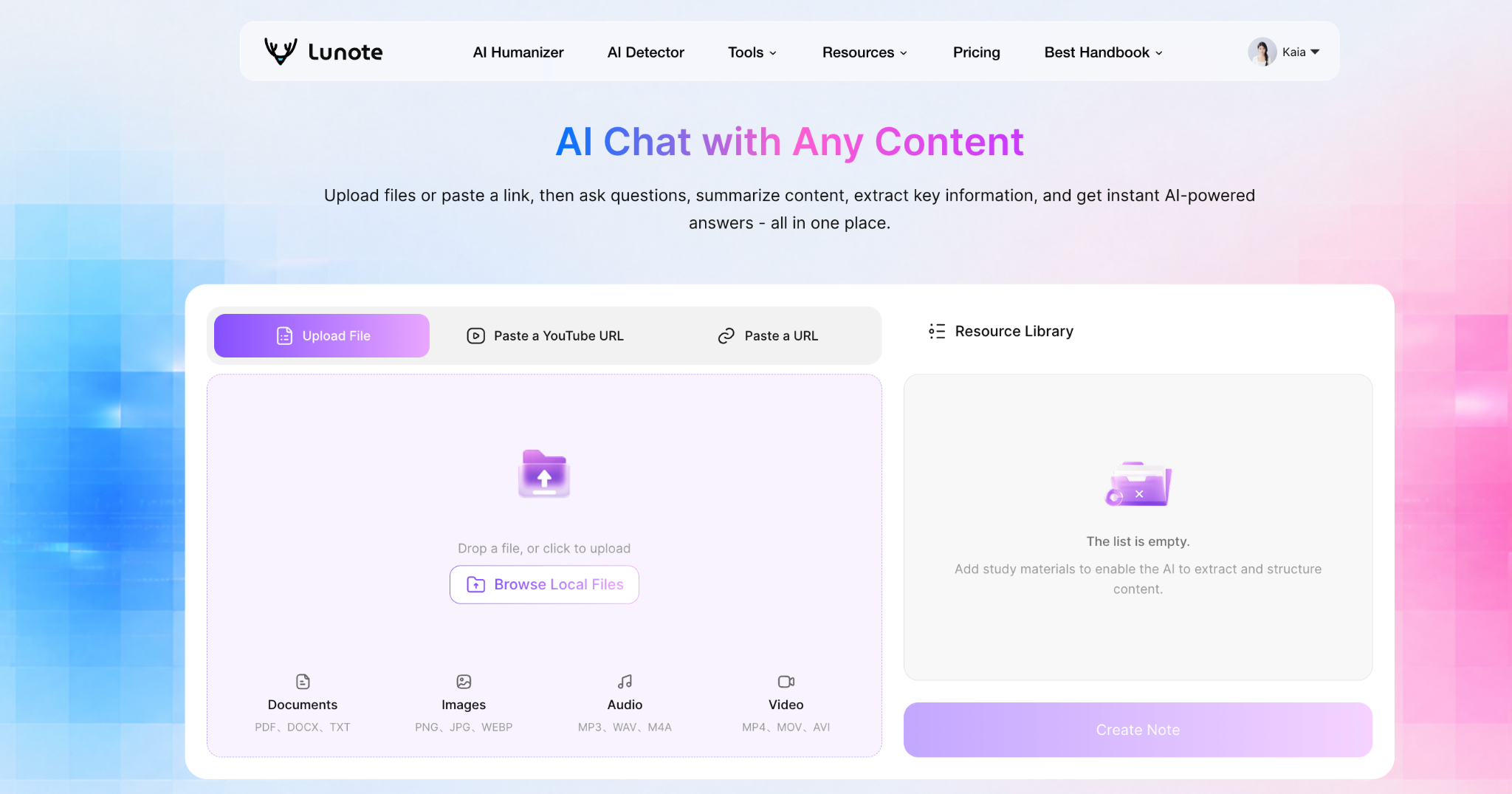
Galaxy.ai vs. Lunote AI QA
Lunote AI Q&A focuses on document analysis. I uploaded a 40-page research paper to both platforms. Lunote gave me exact answers with page citations. Galaxy.ai’s AI Q&A feature works in a similar way. The difference shows up in depth. Lunote handles complex multi-file comparisons with ease. Galaxy.ai manages single documents well but struggles with large datasets. For students and researchers who live in PDFs, Lunote wins. For general users who need occasional document help, Galaxy.ai is enough.
Galaxy.ai vs. Jasper and Copy.ai
Jasper and Copy.ai target one job: marketing copy. I tested all three platforms on the same task. I asked each to write a product description for a coffee maker. The outputs differed noticeably.
Pricing Comparison for Similar Output
Jasper charges $39 monthly for its lowest paid plan. Copy.ai charges $36 monthly. Galaxy.ai costs $14.99 monthly. The price gap matters. I wrote ten product descriptions on each platform. Galaxy.ai used about 3 million credits for the task. That equals roughly $0.30 in credit value. The monthly cost of Galaxy.ai stays far below the specialists. For budget-conscious creators, the savings add up fast.
Feature Set and Ease of Use Comparison
Jasper produces better marketing copy. The tone feels more persuasive. The structure follows proven formulas. Copy.ai matches Jasper closely. Galaxy.ai produces good copy but not great copy. The writing quality falls slightly behind. The interface differences matter too. Jasper guides you through templates. Galaxy.ai gives you a blank box. New users find Jasper easier. Experienced users adapt to Galaxy.ai quickly.
Galaxy.ai vs. Midjourney and Canva
Image generation shows the same pattern. I created the same prompt on Galaxy.ai, Midjourney, and Canva. The prompt described a sunset over a mountain lake with a cabin.
Quality and Speed of Image Generation
Midjourney produced the best image. The colors looked richer. The details appeared sharper. The composition felt artistic. Galaxy.ai’s image generation came close but not equal. The quality gap shows in fine details. Text in images looks better on Midjourney. Faces look more natural. Speed tells a different story. Galaxy.ai generated images in about 15 seconds. Midjourney took nearly a minute. For quick drafts, Galaxy.ai wins. For final artwork, Midjourney wins.
Canva offers a different approach. Its image generator works inside a design tool. You create and edit in one place. Galaxy.ai requires exporting images to another tool for design work. That extra step slows down workflows.
The Value of an All-in-One Platform vs. Specialized Tools
The evidence from my testing supports one conclusion. Galaxy.ai acts as a jack of all trades and master of none. Each individual tool sits slightly behind its standalone version. Jasper writes better marketing copy. Midjourney creates better images. PhotoRoom removes backgrounds better. ElevenLabs produces better voices.
The value equation depends on your needs. Casual users who make occasional content find Galaxy.ai worth the price. One subscription replaces four or five separate tools. The convenience saves time and money. Professionals who need best-in-class output face a different reality. They need the specialized tools. Paying for Jasper, Midjourney, and ElevenLabs separately costs more. But the quality justifies the expense.
My review of the comparison shows a clear trade-off. Galaxy.ai offers remarkable breadth at a low price. The quality gap exists but stays small for most tasks. For anyone who creates content regularly without needing perfection, Galaxy.ai delivers excellent value. For professionals whose income depends on flawless output, the specialists justify their higher costs. The wrong choice creates poor value for your money. The right choice depends entirely on your workflow.
User Experience and Support: The Final Piece of the Puzzle
The platform’s usability determines whether you stay or leave. I spent four weeks navigating the interface, reading documentation, and contacting support. My user experience ranged from smooth sailing to frustrating dead ends. The learning curve exists, but it is not insurmountable. Trustpilot reviewers mention this same challenge. Once you understand the credit system and tool layout, the platform becomes manageable.
The Learning Curve: Is It Easy to Use?
New users face a steep start. I remember my first login. The dashboard displayed dozens of tools with no clear starting point. I clicked around for thirty minutes before finding the AI writer. The interface assumes prior knowledge. Users who have used other AI platforms adapt faster. Complete beginners need patience.
The Interface Design and Workflow
The interface looks clean but hides complexity. The main menu lists categories like Text, Image, Video, and Audio. Each category opens a submenu with many options. I found the layout logical after a few days. The workflow follows a simple pattern: select a tool, enter your prompt, adjust settings, and generate. The generation queue shows your progress clearly. The design works well once you learn the navigation paths.
The dashboard displays your credit balance prominently. This helps you track spending. The history section stores all your past generations. I accessed my old projects easily. The search function works across all content types. The interface lacks customization options. You cannot rearrange tools or create shortcuts. This limitation slows down frequent users.
The Quality of Documentation and Tutorials
The documentation covers every tool on the platform. Each tool page explains its purpose, settings, and credit costs. The tutorials walk through common tasks step by step. I followed the image generation tutorial without issues. The video tutorials show real examples. The documentation quality impresses me overall.
The help center contains articles about common problems. I found answers to most of my questions there. The search function returns relevant results. Some articles feel outdated after the rebranding. The screenshots still show the old Galaxy.ai interface. This creates minor confusion. The company needs to update these visuals.
My Experience with Customer Support
I contacted support three times during my testing. Each interaction taught me something about the platform’s service level. The response times varied. The solutions ranged from helpful to generic.
Response Times and Resolution Effectiveness
My first ticket asked about credit consumption. I submitted it on a Tuesday morning. The response arrived within four hours. The agent explained the credit system clearly. They included a table showing sample costs. That answer resolved my confusion completely.
My second ticket involved a billing question. I wanted to switch from monthly to yearly billing. The response took two days. The agent provided the steps but missed one detail. I had to ask a follow-up question. The second response arrived within a day. The resolution worked, but the delay frustrated me.
My third ticket reported a bug in the video generator. The tool kept crashing during rendering. The agent acknowledged the issue quickly. They offered no timeline for a fix. They suggested using a different model as a workaround. The workaround worked, but the bug remained unresolved. This experience shows the platform still has lots of broken features in development.
The Community and Help Center Resources
The community forum provides additional support. Users share tips, templates, and workarounds. I found several useful threads about credit optimization. The forum moderators respond to questions regularly. The community feels active and helpful.
The help center includes video tutorials and FAQ sections. The FAQ answers common questions about billing and credits. The video library covers advanced techniques. These resources reduce the need for direct support. The combination of documentation, community, and professional support creates a solid safety net.
The security measures protect user data effectively. I never experienced any security issues during my testing. The platform encrypts files and payment information. The privacy policy clearly explains data handling. This security gives me confidence in the platform.
My overall assessment of the user experience shows a platform with real potential. The learning curve requires effort. The documentation helps you climb it. The professional support responds when you need help. The community fills the gaps. The platform still has lots of broken features, but the core experience works. The quality of support matches the platform’s overall standard: good but not perfect.
My galaxy.ai review ends with a mixed verdict. The platform is legit, not a scam. The pros include broad tool access and low entry cost. The cons involve credit confusion and inconsistent quality.
| Plan | Verdict | Key condition |
|---|---|---|
| Hobby (Free) | Worth trying | Only if you regularly use multiple AI tools |
| Pro ($14.99/month) | Recommended | Only if you need broad AI capabilities |
| Lifetime ($499) | Not recommended | Until the product proves useful in your workflow |
Recent customer feedback splits sharply between lovers of the all-in-one hub and those frustrated by credit consumption. This split reinforces my advice: avoid large upfront commitments until the platform proves itself.
The rebranding to Magica shows promise. The future looks bright if transparent pricing improves. My galaxy ai chat review confirms solid performance. The professional support helps when needed. Is galaxy.ai legit? Yes, but try the free plan first. Share your experience below.
FAQ
Is Galaxy.ai legit?
Yes, after four weeks of testing, I found it to be legitimate. The platform provides working AI tools. The rebranding to Magica caused some confusion. The scam claims come from the complicated credit system, not from trickery. I confirmed that my data stayed secure.
How do credits work?
Credits power every tool. Text uses few credits. Image generation uses many. The 15 million monthly credits on the Pro plan lasted me about two weeks. Unused credits do not carry over. Plan your usage to avoid running out.
Is the galaxy ai chat legit and good quality?
Yes, the chat is legit. I did a thorough galaxy ai chat review. The response quality matches standalone tools like ChatGPT. I tested GPT-5 and Claude models. The context retention impressed me. The convenience adds significant value.
What are the main complaints?
Users complain about the credit system. Credits do not carry over. The cost of top-ups adds up. Some users call the platform a scam because of this. My experience shows these claims come from misunderstanding the pricing, not fraud.
How does image generation compare to Midjourney?
Image generation is an AI tool that performs well for drafts. It took me 15 seconds per image. Midjourney produces higher quality final artwork. For most social media or blog graphics, Galaxy.ai’s image generation is enough.
Is my data secure on Galaxy.ai?
Yes, I experienced no security issues. The platform encrypts files and payment information. The security of my data felt assured. I felt confident storing my projects and personal details during my testing period.
What is the galaxy ai chat review summary?
The chat feature is a strong performer. It offers multiple AI models under one interface. The main drawback is the credit cost for heavy users. The convenience of an all-in-one platform makes it a good choice for most people.
Overall, is it worth the price?
This galaxy.ai review concludes it offers excellent value for casual users. The $14.99 monthly plan gives access to many AI tools. Heavy users might find the top-up costs high. Start with the free plan to see if it fits your workflow.

![How to Transcribe Instagram Reels Free Online No Login in [2026 Ultimate Guide]](https://blog.lunote.ai/wp-content/uploads/2026/09/image-1-400x225.png)